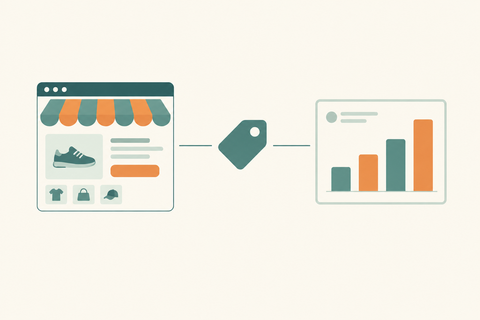
Performance Max for Shopify Stores: Complete Growth Guide for eCommerce Brands
A complete, actionable guide for Shopify store owners and DTC brands on using Google Performance Max campaigns to scale sales, improve ROAS, and grow revenue — by Thriftizernest, one of the best Shopify services providers in India.
Running a Shopify store in 2026 is not the same game it was three years ago. Ad costs are rising. Competition is fiercer. Organic reach is shrinking. And customers are more distracted than ever.
Yet some Shopify brands are scaling faster than ever, doubling revenue, cutting cost-per-acquisition, and achieving 5x–8x ROAS consistently. What's their edge?
A big part of the answer: Google Performance Max campaigns, executed correctly.
This guide breaks down everything Shopify store owners, DTC founders, and eCommerce marketers need to know about Performance Max — from setup to optimisation to scaling. And if you're looking for a Shopify marketing agency in India that specialises in exactly this, you'll find out why Thriftizernest is the partner brands trust.
Section 1: What Is Performance Max?
Performance Max (PMax) is Google's AI-powered, fully automated campaign type that runs ads across every Google channel simultaneously — Search, Shopping, YouTube, Gmail, Discover, Display, and Maps — from a single campaign.
Instead of managing separate campaigns for each channel, you provide Google with:
- A product feed (via Google Merchant Center)
- Creative assets (headlines, descriptions, images, videos)
- Audience signals (your best customer data)
- A conversion goal and budget
Google's machine learning then determines who to show your ads to, where to show them, when to show them, and which creative to use, all in real time, optimised toward your conversion goal.
For eCommerce brands, this means your products can appear as a Shopping ad when someone searches "buy running shoes online," as a YouTube pre-roll when they're watching fitness content, and as a Gmail ad when they're checking their inbox, all from one campaign.
That's omnichannel reach at machine-learning speed.
Section 2: Why Performance Max Works Exceptionally Well for Shopify Stores
Shopify's native Google integration makes PMax a natural fit. Here's why it outperforms traditional campaign structures for most eCommerce brands:
1. Seamless Product Feed Integration
Shopify connects directly to Google Merchant Center. Your product catalogue — titles, descriptions, prices, images, availability — syncs automatically. PMax uses this feed to generate dynamic Shopping ads that match exactly what users are searching for.
2. Dynamic Product Ads at Scale
Instead of manually creating ads for each product, PMax dynamically assembles ads from your feed and creative assets. A fashion brand with 500 SKUs doesn't need 500 ad sets, PMax handles it intelligently.
3. High Purchase Intent Targeting
PMax combines Shopping intent signals (product searches) with audience behaviour signals (YouTube views, Gmail interactions, browsing history) to reach users at multiple touchpoints in the buying journey.
4. Better Scalability
Traditional Google Shopping campaigns hit a ceiling. PMax breaks through it by expanding reach across channels while maintaining conversion efficiency, critical for brands looking to scale past significant monthly ad spend thresholds.
Real-World Examples by Vertical
- Fashion brands: PMax surfaces products on YouTube lookbooks, Gmail promotions, and Shopping simultaneously — capturing users at inspiration and purchase stages.
- Beauty brands: Remarketing through Discover and YouTube keeps products top-of-mind for high-consideration buyers.
- Electronics stores: Search + Shopping combination captures high-intent buyers comparing specs and prices.
- DTC businesses: First-party customer data as audience signals dramatically improves new customer acquisition efficiency.
Want a Performance Max audit for your Shopify store? Talk to Thriftizernest, India's Shopify PPC specialists.
Section 3: How to Set Up Performance Max for Shopify
A correct setup is the difference between a PMax campaign that burns budget and one that scales profitably. Here's the step-by-step process:
Step 1: Connect Shopify to Google Merchant Center
- Install the Google & YouTube app from the Shopify App Store
- Link your Google Merchant Center account
- Verify and claim your domain in Merchant Center
- Enable automatic product syncing
Step 2: Optimise Your Product Feed
Before launching PMax, your feed must be clean. Disapproved products, missing GTINs, or weak titles will tank performance. (More on this in Section 4.)
Step 3: Set Up Conversion Tracking
- Install Google Ads conversion tracking for purchases (not just page views)
- Connect GA4 and import key events (purchase, add-to-cart, checkout initiated)
- Enable enhanced conversions for more accurate attribution
- Verify conversion values are passing correctly — PMax optimises toward revenue, not just clicks
Step 4: Build Your Asset Groups
Asset groups are the creative building blocks of PMax. For each asset group, provide:
- 5 headlines (30 characters each)
- 5 long headlines (90 characters each)
- 4 descriptions (90 characters each)
- 3–5 images (landscape, square, portrait)
- 1–5 logos
- 1–5 videos (or Google will auto-generate — avoid this)
Step 5: Add Audience Signals
Audience signals are not targeting — they're hints to Google's AI about who your best customers are. Add:
- Customer match lists (email lists of past buyers)
- Website visitors (remarketing audiences from GA4)
- Custom intent audiences (people who searched your keywords)
- Similar segments based on converters
Step 6: Set Budget and Bidding Strategy
- Start with Maximise Conversions until you have 30–50 conversions/month
- Then shift to Target ROAS once the algorithm has enough data
- Minimum recommended budget: ₹500–₹1,000/day for meaningful learning
- Allow a 2–4 week learning period before making major changes
Section 4: Product Feed Optimisation for Better ROAS
Your product feed is the engine of Performance Max. A weak feed = weak results, regardless of budget. Here's how to optimise it:
Product Titles
Google reads your title left-to-right. Put the most important keywords first.
Weak: Blue Dress for Women Summer
Optimised: Women's Blue Floral Midi Dress | Summer Collection | Sizes XS–XL
Formula: Brand + Product Type + Key Attribute (colour, size, material) + Use Case
Descriptions
Use the first 160–500 characters for key selling points. Include secondary keywords naturally. Avoid keyword stuffing.
GTINs and SKUs
Always include GTINs for branded products. Missing GTINs reduce Shopping eligibility and hurt ad quality scores.
Product Categories
Use Google's taxonomy precisely. Incorrect categories reduce match quality and increase CPC.
Images
- Minimum 800x800px for Shopping; 1200x1200px recommended
- White or clean background for main image
- Lifestyle images as additional images
- No watermarks, text overlays, or borders on main image
Pricing and Availability
Keep pricing accurate and sync availability in real time. Mismatches cause disapprovals and waste budget on out-of-stock products.
Need a full Shopify product feed audit? Thriftizernest's Shopify SEO and ads team can optimise your entire catalogue for maximum Shopping performance. Get in touch.
Section 5: Best Performance Max Strategies for Shopify Stores
1. Segment Campaigns by Product Category or Margin
Don't mix all products into one PMax campaign. Create separate campaigns for:
- Best-sellers (highest conversion data)
- High-margin products (worth paying more CPC for)
- New arrivals (need separate budget and learning)
- Clearance/sale items (different ROAS targets)
2. Use First-Party Customer Data as Audience Signals
Upload your customer email list to Google Ads as a Customer Match audience. This is your most powerful signal — it tells Google's AI exactly who your buyers are, dramatically accelerating the learning phase.
3. Run Seasonal Campaigns Separately
For Diwali, BFCM, Republic Day sales, or end-of-season clearances — create dedicated PMax campaigns with specific asset groups, budgets, and ROAS targets. Don't let seasonal spikes distort your evergreen campaign data.
4. Use Brand Exclusions
Exclude your brand name from PMax to prevent it from cannibalising your branded search campaigns. This keeps PMax focused on new customer acquisition.
5. Add Search Themes
Search themes (available in PMax settings) let you guide Google toward specific keyword intents. Add your top-performing search terms from Shopping campaigns as search themes.
6. Test Creative Aggressively
PMax's asset performance ratings (Low / Good / Best) tell you which headlines, images, and descriptions are working. Rotate in new assets every 4–6 weeks and remove consistently Low-rated assets.
7. Geographic Targeting
For India-focused brands, segment campaigns by metro vs. tier-2/3 cities. CPCs and conversion rates differ significantly — a single national campaign often underperforms compared to geo-segmented campaigns.
Section 6: Common Performance Max Mistakes Shopify Brands Make
Mistake 1: Launching with a Poor Product Feed
If your feed has missing GTINs, weak titles, or disapproved products, PMax has nothing quality to work with. Fix the feed first, always.
Mistake 2: Letting Google Auto-Generate Videos
If you don't upload videos, Google creates them automatically — and they're usually poor quality. Always upload at least one 15–30 second video per asset group.
Mistake 3: Using Target ROAS Too Early
Switching to tROAS before accumulating 30–50 monthly conversions starves the algorithm. Start with Maximise Conversions and be patient.
Mistake 4: Mixing All Products in One Campaign
Lumping a low-price impulse-buy product with a premium product into one campaign confuses the algorithm. Segment by price point, margin, or category.
Mistake 5: Ignoring Search Term Insights
PMax's search term report (under Insights) shows what queries triggered your ads. Review it weekly. Add irrelevant terms as negative keywords at the account level.
Mistake 6: Making Changes Too Frequently
Every significant change resets the learning period. Avoid changing budgets by more than 20% at a time, and space out major changes by at least 2 weeks.
Mistake 7: Not Excluding Poor-Performing Products
Use listing groups to exclude products with zero conversions after significant spend. Let budget concentrate on proven performers.
Section 7: How to Improve ROAS on Shopify Using Performance Max
ROAS improvement isn't just about the campaign — it's about the entire conversion funnel. Here's where Shopify brands leave money on the table:
Landing Page Optimisation
- Send PMax traffic to collection pages or specific product pages, not your homepage
- Ensure page load time is under 2.5 seconds
- Above-the-fold content must match the ad creative — message match reduces bounce rate
Mobile UX
Over 70% of Shopify traffic in India is mobile. If your product pages aren't optimised for mobile — fast load, thumb-friendly CTAs, easy checkout — you're paying for clicks that don't convert.
Conversion Rate Optimisation (CRO)
- Add trust signals: reviews, ratings, return policy, secure payment badges
- Simplify the checkout process — enable Shop Pay for 1-click checkout
- Use urgency triggers: low stock indicators, limited-time offers
- A/B test product page layouts
Offer Optimisation
Sometimes the issue isn't the campaign — it's the offer. Test free shipping thresholds, bundle discounts, and first-order incentives. A 10% improvement in conversion rate effectively doubles your ROAS.
Bundles and Upsells
Increase average order value (AOV) through product bundles and post-purchase upsells. Higher AOV means better ROAS without changing ad spend.
Thriftizernest offers end-to-end Shopify CRO services — from landing page audits to checkout optimisation. Book a free consultation.
Section 8: Performance Max vs Traditional Google Shopping Ads
| Factor | Performance Max | Standard Shopping |
|---|---|---|
| Automation | Fully automated (AI-driven) | Manual bidding available |
| Channel Reach | All Google channels | Shopping and Search only |
| Creative Control | Asset-based (limited direct control) | Feed-driven (more predictable) |
| Targeting | Audience signals + AI | Keyword + product targeting |
| ROAS Potential | Higher ceiling with sufficient data | More predictable, lower ceiling |
| Optimisation | Algorithm-led; less manual levers | More manual control |
| Best For | Scaling brands with conversion data | New accounts or tight control needs |
| Learning Period | 2–4 weeks | Shorter |
Verdict: For most established Shopify stores with consistent monthly conversions, PMax outperforms Standard Shopping in reach and ROAS ceiling. For new stores with limited conversion data, start with Standard Shopping to build data, then graduate to PMax.
Section 9: Why Shopify Brands in India Need Expert PPC Management
India's eCommerce ad landscape in 2026 is more competitive than ever. CPCs have risen 30–40% year-over-year in categories like fashion, beauty, and electronics. Here's why DIY PMax management often fails — and why expert management pays for itself:
Rising CPCs Demand Smarter Optimisation
When clicks cost more, every rupee of wasted spend hurts more. Expert feed optimisation, negative keyword management, and audience signal refinement can reduce wasted spend by 20–35%.
Conversion Tracking Complexity
Shopify's default Google Ads conversion tracking often double-counts or misattributes conversions. Without accurate data, PMax optimises toward the wrong signals — and ROAS figures become meaningless. Proper GA4 + enhanced conversions setup is non-negotiable.
Shopify-Specific Expertise Matters
PMax for a Shopify store isn't the same as PMax for a lead-gen business. Product feed structure, Shopify-Google integration quirks, collection page vs. product page landing strategies, and Shopify checkout optimisation all require platform-specific knowledge.
Why Thriftizernest?
Thriftizernest is one of the best Shopify services providers in India, specialising in:
- Performance Max campaign setup and management
- Shopify product feed optimisation
- GA4 and enhanced conversion tracking
- Shopify SEO and technical optimisation
- Conversion rate optimisation (CRO)
- Full-funnel eCommerce growth strategy
We don't just run ads — we build growth systems for Shopify brands that compound over time.
Looking for a Shopify Google Ads agency in India? Get a free Performance Max audit from Thriftizernest.
Section 10: Performance Max Results — What Realistic Growth Looks Like
Here's what well-executed Performance Max campaigns deliver for Shopify brands (based on typical client outcomes in the fashion, beauty, and lifestyle verticals):
Example: Fashion DTC Brand (India)
- Before PMax: 2.1x ROAS on Standard Shopping, high CPA
- After PMax (90 days): 4.6x ROAS, 47% lower CPA, 38% increase in new customer acquisition
- Key levers: Feed optimisation, customer match audiences, separate campaigns by category
Example: Beauty Brand (D2C, Tier-1 Cities)
- Before PMax: Running only Search campaigns, high CPCs, limited reach
- After PMax (60 days): 3.8x ROAS, 52% reduction in CPA, YouTube and Discover driving 30% of conversions
- Key levers: Video assets, remarketing audiences, geo-segmented campaigns
Example: Electronics Accessories Store
- Before PMax: Fragmented campaigns, 1.9x blended ROAS
- After PMax (120 days): 5.2x ROAS on best-seller campaign, 40% revenue growth
- Key levers: Best-seller campaign isolation, tROAS bidding, AOV improvement through bundles
Results vary by vertical, budget, and baseline conversion rate. These examples represent outcomes achievable with proper setup and ongoing optimisation.
Frequently Asked Questions
What is Performance Max for Shopify?
Performance Max is Google's AI-driven campaign type that runs ads across all Google channels — Search, Shopping, YouTube, Gmail, Discover, and Display — from a single campaign. For Shopify stores, it integrates with your Google Merchant Center product feed to serve dynamic Shopping and multi-channel ads automatically.
Is Performance Max good for eCommerce?
Yes — Performance Max is particularly well-suited for eCommerce brands with an established product catalogue and consistent conversion data. It excels at scaling reach and improving ROAS once the algorithm has sufficient data (typically 30–50 conversions/month minimum).
How do I connect Shopify to Google Ads?
Install the Google and YouTube app from the Shopify App Store, connect your Google Merchant Center account, and link it to your Google Ads account. Enable automatic product feed syncing and set up conversion tracking via Google Ads or GA4.
How much budget is needed for Performance Max?
A minimum of ₹500–₹1,000/day is recommended to give the algorithm enough data to learn. For meaningful scaling, ₹2,000–₹5,000/day per campaign is more effective. Budget should be proportional to your average order value and target ROAS.
What ROAS should Shopify stores expect from Performance Max?
ROAS varies significantly by vertical, product price point, and optimisation quality. Well-optimised PMax campaigns for Shopify stores typically achieve 3x–6x ROAS in fashion and beauty, and 4x–8x in electronics and accessories. New campaigns should expect 4–8 weeks before hitting target ROAS.
Does Performance Max work better than Shopping Ads?
For most established Shopify stores, yes — PMax outperforms Standard Shopping in reach and ROAS ceiling due to its multi-channel approach and AI optimisation. However, Standard Shopping offers more control and is better for new stores building conversion data.
How do I optimise Shopify product feeds for Performance Max?
Focus on keyword-rich product titles (brand + type + attributes), accurate GTINs, high-quality images (1200x1200px minimum), precise Google product categories, and real-time availability syncing. A clean, complete feed is the single biggest lever for PMax performance.
Ready to Scale Your Shopify Store with Performance Max?
Performance Max is one of the most powerful tools available to Shopify brands in 2026 — but only when set up and managed correctly. The difference between a PMax campaign that burns budget and one that delivers 5x ROAS comes down to feed quality, conversion tracking accuracy, audience signals, creative assets, and ongoing optimisation.
That's exactly what Thriftizernest does.
We're a performance-driven Shopify growth agency in India specialising in:
- Google Performance Max campaign management
- Shopify product feed optimisation
- GA4 and conversion tracking setup
- Shopify SEO and technical optimisation
- Conversion rate optimisation (CRO)
- Full-funnel eCommerce growth strategy
Whether you're a DTC brand looking to scale, a Shopify Plus business wanting to improve ROAS, or a growing eCommerce brand ready to invest in performance marketing — Thriftizernest is your growth partner.
Contact Thriftizernest today for a free Performance Max audit and Shopify growth consultation.
Thriftizernest, One of the best Shopify services providers in India. Shopify marketing, Google Ads, SEO, CRO, and complete eCommerce growth, all under one roof.