Why Shopify and GA4 Revenue Numbers Don't Match
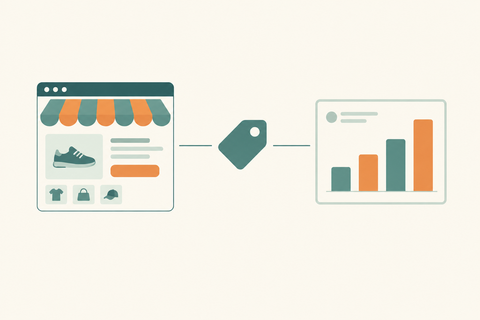
Shopify records orders while GA4 relies on purchase events. Learn how revenue definitions, consent, duplicate tracking, time zones, refunds, and order filters create gaps, plus a practical way to reconcile them.
Shopify and GA4 revenue numbers often differ because they measure different things in different ways. Shopify records orders and sales activity; GA4 depends on purchase events reaching its property. Consent, blocked tracking, time zones, refunds, report definitions, and duplicate tags can all widen the gap. Compare the same dates, channels, and revenue components before troubleshooting the tracking.
Start by comparing the right numbers
“Revenue” is not one universal number. In Shopify, gross sales, net sales, and total sales answer different questions. Discounts, returns, shipping, and tax can change the figure you see. In GA4, the value attached to a purchase event depends on your tracking setup and the report you open. If you compare Shopify total sales with a GA4 figure that excludes shipping or tax, the mismatch may be a definition problem rather than a missing purchase.
Here is a simple illustration, not a benchmark or a report from this store: a customer pays ₹1,000 for products after a ₹100 discount, plus ₹80 shipping and ₹50 tax. A report focused on product revenue could show ₹1,000, while a total that includes shipping and tax could show ₹1,130. Check which components each report includes before comparing the totals.
Seven reasons the figures drift apart
1. A purchase event never reaches GA4
Shopify can record a completed order even when analytics tracking is blocked. A customer might decline consent, use a privacy extension, disable cookies or JavaScript, or leave before a browser event is sent. GA4 therefore should not be treated as a substitute for the order record. Shopify also notes that third party analytics services and its own analytics can use different tracking mechanisms.
2. The GA4 tag fires more than once
The opposite problem happens when multiple integrations send the same purchase. If you use the Google & YouTube channel alongside another Google tag, app pixel, or custom implementation, review which setup sends purchase events. Do not remove a tag just because two are present; verify whether the same transaction is being recorded twice first.
3. Reporting time zones differ
An order placed close to midnight can land on different calendar days in Shopify and GA4 when their reporting time zones differ. Compare a longer period as well as individual days, then align time zone settings where appropriate.
4. Discounts, shipping, tax, and refunds are handled differently
Check whether you are looking at gross sales, net sales, or total sales in Shopify and what the GA4 report calls revenue. Refunds and order edits can also change the comparison, especially when the original order and the adjustment fall in different date ranges. Shopify notes that an edit made after the order date can appear as a separate entry in its Total sales over time report.
5. You are comparing unlike order sets
Filter the reports consistently. Ask whether Shopify includes sales from a channel or draft order that your GA4 web tracking would not observe, and whether the GA4 property is receiving data from more than one site. Start with a small sample of online store orders before comparing storewide totals.
6. The purchase value or currency is misconfigured
Inspect a few real transactions in GA4. Compare their transaction IDs, currencies, and purchase values against the matching Shopify orders. If values differ by a repeatable amount, look for omitted shipping or tax, a discount calculation, or a currency configuration issue. If the same transaction appears more than once, investigate duplicate event sources.
7. Recent data is still changing
Use a completed historical date range for your first comparison instead of today's figures. Refunds, edits, and reporting updates can shift totals after the initial purchase. Write down the exact report, date range, time zone, and filters you used so the next comparison is reproducible.
A practical reconciliation workflow
- Pick one period: Choose a completed seven day range and record the time zone in each platform.
- Match the metric: Note whether Shopify shows gross, net, or total sales and which GA4 revenue metric you selected. Account for tax, shipping, discounts, and returns.
- Compare orders and purchase events: Look for missing or repeated GA4 transaction IDs, then inspect a small set of matching order values.
- Check collection: Review consent settings, your Google & YouTube setup, and any additional pixels or tags sending purchase events.
- Document the gap: Separate definition differences from missing events and duplicate events. Fix the cause you can prove, then retest with new orders.
If the gap grows when campaigns scale, treat measurement as part of campaign operations, not an afterthought. Our performance marketing services can help connect reporting with ad decisions, while our Shopify store setup services are relevant when the tracking implementation itself needs attention.
FAQs
Should Shopify and GA4 revenue match exactly?
Not necessarily. First align the date range, time zone, order set, and revenue definition. A remaining gap can reflect consent, browser blocking, or tracking issues. Investigate patterns rather than forcing two different systems to show the same number.
Which number should I use for bookkeeping?
Use your order and financial records, not GA4 purchase events, for financial reconciliation. GA4 is useful for understanding customer behavior and marketing performance, but it can miss browser events.
Why is GA4 revenue higher than Shopify?
Check for duplicate purchase events, data from multiple sites in one property, a mismatched date range, or different revenue components. Use transaction IDs to narrow down the cause rather than guessing.
Need a second set of eyes? Contact Thriftizernest for help tracing the gap from order totals to purchase events and building a reporting setup you can actually trust.