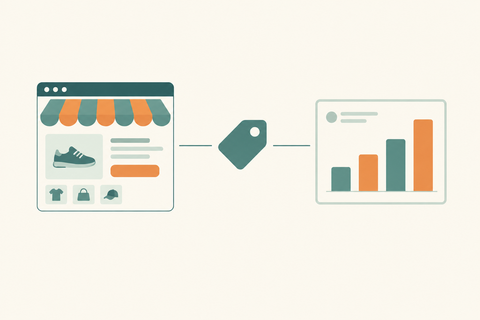
How to Set Up a Shopify Store in 2026
Ready to launch your online store? This step-by-step guide walks you through everything you need to set up a Shopify store in 2026 — from choosing your plan and adding products to configuring payments, shipping, and going live. Whether you're a first-time entrepreneur or migrating from another platform, this guide has you covered.
Starting an online store has never been easier, and Shopify is one of the best platforms for beginners. Whether you're planning to sell clothing, beauty products, electronics, or digital goods, Shopify gives you everything you need to launch your business without needing technical skills.
But if you're new to ecommerce, you probably have a few questions:
-
How much does it cost to set up a Shopify store?
-
Do I need GST for Shopify?
-
What do I need before getting started?
-
Is Shopify beginner-friendly?
Let's answer all of them in one place.
How Much Does It Cost to Set Up a Shopify Store?
The cost depends on how simple or advanced you want your store to be.
Here are the typical expenses:
-
Shopify subscription: Starts from Shopify's basic monthly plan.
-
Custom domain: Around $10–20 per year if you don't already own one.
-
Premium theme (optional): Free themes work well, but paid themes can range from $100–400 as a one-time purchase.
-
Apps: Many are free, while premium apps charge monthly fees depending on their features.
-
Professional setup (optional): If you hire a Shopify expert or agency, costs vary based on customization and store size.
If you're just testing a business idea, you can launch with a relatively small budget using Shopify's free themes and essential features. As your business grows, you can invest in design, SEO, marketing, and custom functionality.
Do I Need GST for Shopify?
This is one of the most common questions from Indian entrepreneurs.
The short answer is not always.
Whether you need GST depends on your business and what you're selling.
Generally, you may need GST if:
-
Your business is required to register under Indian tax laws.
-
You're selling across states through ecommerce.
-
You're selling through marketplaces where GST registration is mandatory.
-
Your turnover exceeds the applicable registration threshold.
If you're just starting out, it's a good idea to speak with a chartered accountant to understand your specific situation. Getting the right tax setup from the beginning can save you time and avoid compliance issues later.
What Do I Need to Set Up a Shopify Store?
The good news is that you don't need much.
Here's what you'll need before launching:
1. A Business Idea
Know what you're selling and who your customers are.
2. Products
Prepare product details, descriptions, pricing, inventory, and high-quality images.
3. Brand Name
Choose a memorable business name and secure a matching domain if possible.
4. Payment Method
Connect payment gateways so customers can pay online.
5. Shipping Plan
Decide how you'll deliver orders and calculate shipping charges.
6. Legal Information
Prepare your business details, policies, and tax information if applicable.
7. Product Photos
Good images build trust and improve conversions. You don't need a professional studio, but clear, well-lit photos make a huge difference.
How to Start Shopify as a Beginner
If you've never built an online store before, don't worry. Shopify is designed for beginners.
Here's a simple step-by-step process.
Step 1: Create a Shopify Account
Sign up using your email and choose a store name.
Step 2: Pick a Theme
Select one of Shopify's free themes. You can always upgrade later.
Step 3: Add Your Products
Upload product images, write descriptions, set prices, and organize products into collections.
Step 4: Customize Your Store
Add your logo, choose your colors, and create important pages like:
-
About Us
-
Contact
-
Privacy Policy
-
Shipping Policy
-
Refund Policy
Step 5: Set Up Payments
Connect your preferred payment gateway so customers can complete purchases securely.
Step 6: Configure Shipping
Set delivery zones, shipping charges, and expected delivery times.
Step 7: Connect Your Domain
A custom domain makes your business look more professional.
Step 8: Test Everything
Before going live, place a test order to make sure payments, emails, and checkout work correctly.
Step 9: Launch Your Store
Once everything looks good, publish your store and start promoting it through SEO, social media, Google Ads, and Meta Ads.
Common Mistakes Beginners Make
Many first-time store owners make the same mistakes. Avoid these if you can.
-
Launching with incomplete product descriptions
-
Using low-quality product photos
-
Ignoring mobile optimization
-
Forgetting SEO basics
-
Not testing the checkout process
-
Installing too many unnecessary apps
-
Skipping shipping and return policies
Taking a little extra time before launch can save a lot of headaches later.
Should You Build the Store Yourself or Hire an Expert?
If you're comfortable learning, Shopify is beginner-friendly enough to build a basic store yourself.
However, if you're serious about growing your business, working with a Shopify expert can help you:
-
Launch faster
-
Create a professional design
-
Improve SEO from day one
-
Speed up your website
-
Increase conversion rates
-
Avoid common setup mistakes
Many businesses start with a DIY store and later invest in professional optimization as sales grow.
Final Thoughts
Setting up a Shopify store is much easier today than it was a few years ago. With the right planning, quality products, and a clean store design, you can launch your online business without needing to code or hire a full development team.
Start simple, focus on creating a great customer experience, and improve your store over time. Every successful Shopify brand started with its very first product and first customer.
If you'd rather skip the learning curve, the team at Thriftizernest can help you build, customize, and optimize a Shopify store that's ready to grow from day one.
FAQs
1. Can I start Shopify without technical knowledge?
Yes. Shopify is built for beginners and doesn't require coding skills to create and manage an online store.
2. How long does it take to set up a Shopify store?
A basic store can be ready within a day, while a professionally designed store with custom features may take a few weeks.
3. Can I use my own domain with Shopify?
Yes. You can buy a new domain through Shopify or connect a domain you already own.
4. Is Shopify good for small businesses?
Absolutely. Shopify works well for startups, small businesses, and even large enterprise brands.
5. What is the minimum investment to start a Shopify store?
Your minimum investment depends on your subscription, domain, branding, and marketing budget. Many businesses begin with a modest investment and scale as they grow.