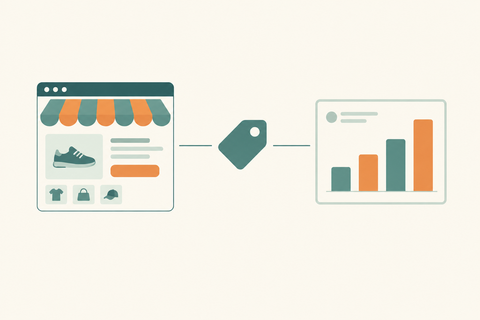
How to Increase Shopify Conversion Rate: The Complete CRO Guide for eCommerce Brands
A complete, actionable CRO guide for Shopify store owners and DTC brands on increasing conversion rates, reducing bounce rates, and growing revenue without increasing ad spend — by Thriftizernest, one of the best Shopify services providers in India.
You're driving traffic to your Shopify store. People are clicking your ads, finding you on Google, visiting your product pages. But they're not buying.
Sound familiar?
This is the single most expensive problem in eCommerce — and it's not solved by spending more on ads. It's solved by conversion rate optimisation (CRO).
The average Shopify store converts at 1.4–2.5%. The top-performing stores convert at 4–6%+. That gap isn't luck — it's the result of deliberate, data-driven decisions about design, copy, speed, trust, and checkout experience.
This guide covers everything you need to know to increase your Shopify conversion rate in 2026 — with actionable strategies, real examples, and the exact levers that move the needle.
Thriftizernest is one of the best Shopify services providers in India, specialising in Shopify CRO, performance marketing, and full-funnel eCommerce growth. If you want expert eyes on your store, get in touch for a free CRO audit.
What Is Shopify Conversion Rate and How Is It Calculated?
Your conversion rate is the percentage of visitors who complete a purchase.
Formula: (Total Orders ÷ Total Sessions) × 100
If your store gets 10,000 sessions and 150 orders, your conversion rate is 1.5%.
A 1% improvement in conversion rate — from 1.5% to 2.5% — on 10,000 sessions means 100 additional orders per month without spending a single extra rupee on ads. That's the power of CRO.
What Is a Good Shopify Conversion Rate?
- Below 1%: Significant issues — likely UX, trust, or product-market fit problems
- 1–2%: Average — room for meaningful improvement
- 2–3.5%: Good — optimisation is working
- 3.5–5%+: Excellent — top-tier Shopify performance
Benchmarks vary by vertical. Fashion and apparel typically convert at 1.5–2.5%. Beauty and skincare at 2–4%. Electronics at 1–2%. Subscription products at 3–6%.
Section 1: Fix Your Shopify Store Speed First
Page speed is the single biggest silent conversion killer. Every 1-second delay in load time reduces conversions by 7%. On mobile — where 70%+ of Indian eCommerce traffic comes from — a slow store is a dead store.
How to Improve Shopify Store Speed
- Compress all images — use WebP format, target under 100KB per image. Use apps like TinyIMG or Crush.pics
- Limit installed apps — every app adds JavaScript. Audit your apps quarterly and remove anything unused
- Use a fast, lightweight theme — Dawn, Sense, and Craft are Shopify's fastest native themes
- Lazy load images — load images only when they enter the viewport
- Minimise custom code — bloated Liquid templates and third-party scripts slow render time
- Enable Shopify's CDN — Shopify hosts assets on a global CDN by default; ensure you're not overriding this
Target: Google PageSpeed score of 70+ on mobile, 85+ on desktop. Check yours at pagespeed.web.dev.
Thriftizernest offers Shopify speed optimisation as part of its CRO services. A faster store is a higher-converting store — full stop.
Section 2: Optimise Your Product Pages for Conversion
Your product page is where buying decisions are made. Most Shopify stores underinvest here and overspend on ads. Here's what a high-converting product page looks like:
Product Images
- Minimum 5–8 images per product: front, back, detail, lifestyle, size reference, packaging
- Include a short product video (15–30 seconds) — video increases conversion by 80% on average
- Use zoom functionality on desktop
- Show the product in use, on a real person, in context
Product Title and Description
- Lead with the benefit, not the feature: "Stays cool for 24 hours" beats "Double-walled stainless steel"
- Use short paragraphs and bullet points — nobody reads walls of text
- Answer the top 3 objections your customer has before they ask
- Include size guides, material details, and care instructions where relevant
Pricing and Offers
- Show compare-at price (original vs. sale price) to create perceived value
- Display free shipping threshold prominently: "Free shipping on orders over ₹999"
- Show savings in rupees AND percentage: "Save ₹500 (25% off)"
Add to Cart Button
- Make it large, high-contrast, and above the fold on mobile
- Use action-oriented copy: "Add to Cart", "Get Yours Now", "Buy Now"
- Add a sticky Add to Cart bar for long product pages
Section 3: Build Trust — The #1 Conversion Lever Most Stores Ignore
Customers don't buy from stores they don't trust. In India especially, where online fraud concerns are high, trust signals are conversion multipliers.
Essential Trust Signals for Shopify Stores
- Customer reviews: Display star ratings and written reviews on every product page. Use Judge.me, Loox, or Okendo. Aim for 20+ reviews per product
- Return policy: Make it easy to find and easy to understand. "30-day hassle-free returns" converts better than a 500-word policy page
- Secure payment badges: Display Visa, Mastercard, UPI, Razorpay, and SSL badges near the checkout button
- Social proof: "2,400+ happy customers" or "Rated 4.8/5 by 800+ buyers" near the hero section
- About Us page: Show the humans behind the brand. Founder story, team photos, and brand mission build emotional connection
- Contact information: A visible phone number, email, and WhatsApp link dramatically increases trust
Section 4: Simplify and Optimise Your Checkout
Cart abandonment averages 70% across eCommerce. Most of that abandonment happens at checkout — and most of it is preventable.
Checkout Optimisation Checklist
- Enable Shop Pay — Shopify's accelerated checkout converts 1.72x better than standard checkout for returning customers
- Offer guest checkout — forcing account creation kills conversions. Always allow guest checkout
- Reduce form fields — only ask for what you absolutely need. Every extra field increases drop-off
- Show progress indicators — "Step 1 of 3" reduces anxiety and abandonment
- Display trust badges at checkout — SSL, secure payment icons, and return policy reminders
- Offer multiple payment options — UPI, cards, net banking, EMI, COD where applicable
- Send abandoned cart emails — a 3-email sequence (1hr, 24hr, 72hr) recovers 5–15% of abandoned carts
Thriftizernest's Shopify CRO services include full checkout audits and optimisation. A streamlined checkout is often the fastest path to a higher conversion rate.
Section 5: Mobile Optimisation — Non-Negotiable in India
In India, over 75% of eCommerce traffic is mobile. If your Shopify store isn't built mobile-first, you're losing the majority of your potential customers.
Mobile CRO Checklist
- Test your store on actual mobile devices — not just browser emulators
- Ensure all buttons are thumb-friendly (minimum 44x44px tap target)
- Navigation menu should be clean and collapsible
- Product images should load fast and be swipeable
- Checkout should be completable in under 2 minutes on mobile
- Avoid pop-ups that cover the full screen on mobile (Google penalises these too)
- Test your store on low-bandwidth connections — many Indian users are on 4G with variable speeds
Section 6: Use Social Proof and Urgency Strategically
Two of the most powerful psychological conversion triggers are social proof (others are buying this) and urgency (act now or miss out). Used authentically, they significantly lift conversion rates.
Social Proof Tactics
- Show real-time purchase notifications: "Priya from Mumbai just bought this" (use apps like Fomo or Sales Pop)
- Display "X people are viewing this right now" on high-traffic products
- Feature UGC (user-generated content) — customer photos and videos on product pages
- Highlight bestseller badges: "#1 Best Seller" or "Most Popular"
Urgency Tactics (Use Authentically)
- Low stock indicators: "Only 3 left in stock" — only show when true
- Limited-time offers with countdown timers for genuine sales
- "Order in the next 2 hours for delivery by [date]" — shipping urgency
- Seasonal scarcity: "Diwali collection — limited pieces available"
Section 7: Increase Average Order Value to Improve Revenue Per Visitor
CRO isn't just about getting more people to buy — it's about getting each buyer to spend more. Higher AOV means better ROAS on your ad spend and more revenue from the same traffic.
AOV Optimisation Strategies
- Product bundles: "Buy 2, get 10% off" or curated bundles ("The Complete Skincare Kit")
- Upsells at product page: "Customers also bought" or "Complete the look"
- Cross-sells at cart: Show complementary products before checkout
- Post-purchase upsells: Offer a one-click add-on after the initial purchase (use ReConvert or Zipify)
- Free shipping threshold: Set it 20–30% above your current AOV to encourage larger orders
- Volume discounts: "Buy 3, save 15%" — works especially well for consumables and gifting
Section 8: A/B Testing — The Only Way to Know What Actually Works
Every store is different. What works for a fashion brand in Mumbai may not work for an electronics store in Bangalore. A/B testing removes guesswork and lets data make decisions.
What to A/B Test on Shopify
- Product page hero image (lifestyle vs. product-only)
- Add to Cart button colour and copy
- Product description format (paragraphs vs. bullets)
- Pricing display (₹999 vs. ₹999.00 vs. "Under ₹1,000")
- Homepage hero banner headline and CTA
- Free shipping threshold messaging
- Review placement (above vs. below the fold)
A/B Testing Tools for Shopify
- Shopify's native theme editor (duplicate sections and test manually)
- Convert Experiences — most robust Shopify-compatible A/B testing tool
- Google Optimize alternative: VWO or AB Tasty
Run each test for a minimum of 2 weeks and 200+ conversions per variant before declaring a winner.
Section 9: Navigation, Search, and Site Structure
If customers can't find what they're looking for, they leave. Poor navigation is a silent conversion killer that most store owners overlook.
Navigation Best Practices
- Keep your main menu to 5–7 items maximum
- Use descriptive labels: "Women's Kurtas" beats "Collection 1"
- Add a mega menu for stores with large catalogues
- Feature your best-selling collection or current promotion in the nav
Site Search Optimisation
- Make the search bar prominent — especially on mobile
- Enable predictive search (built into most Shopify themes)
- Use Searchie or Boost Commerce for advanced search with filters
- Customers who use site search convert at 2–3x the rate of non-searchers
Section 10: Email and SMS — Convert Traffic You've Already Paid For
Most visitors won't buy on their first visit. Email and SMS let you bring them back and convert them over time — turning your ad spend into a long-term asset.
Essential Shopify Email Flows
- Welcome series: 3–5 emails introducing your brand, bestsellers, and a first-order discount
- Abandoned cart: 3-email sequence recovering lost sales (typically 5–15% recovery rate)
- Browse abandonment: Triggered when someone views a product but doesn't add to cart
- Post-purchase: Thank you, order confirmation, review request, and cross-sell
- Win-back: Re-engage customers who haven't purchased in 60–90 days
Use Klaviyo or Omnisend for Shopify email automation. Both integrate natively and offer powerful segmentation.
Common Shopify CRO Mistakes to Avoid
- Making changes without data: Always base CRO decisions on analytics, heatmaps, and session recordings — not gut feel
- Testing too many things at once: Change one variable at a time to isolate what's working
- Ignoring mobile: If you're only optimising for desktop, you're optimising for a minority of your traffic
- Neglecting returning customers: It costs 5x more to acquire a new customer than retain an existing one. CRO applies to retention too
- Copying competitors blindly: What works for another brand may not work for yours. Test everything
- Fixing the wrong bottleneck: Use Google Analytics 4 funnel reports to identify where users are dropping off before deciding what to fix
CRO Tools Every Shopify Store Should Use
- Google Analytics 4: Funnel analysis, behaviour flow, conversion tracking
- Microsoft Clarity / Hotjar: Heatmaps, session recordings, click maps — free and invaluable
- Judge.me / Loox: Review collection and display
- ReConvert: Post-purchase upsells and thank-you page optimisation
- Klaviyo / Omnisend: Email and SMS automation
- TinyIMG: Image compression and speed optimisation
- Boost Commerce: Advanced search and filtering
Frequently Asked Questions
What is a good conversion rate for a Shopify store?
The average Shopify store converts at 1.4–2.5%. A good conversion rate is 2.5–3.5%, and top-performing stores achieve 4–6%+. Benchmarks vary by vertical — beauty and skincare typically convert higher than electronics.
How do I check my Shopify conversion rate?
Go to Shopify Admin → Analytics → Overview. Your conversion rate is displayed as "Online store conversion rate" in the dashboard. For deeper funnel analysis, connect Google Analytics 4 to your store.
Why is my Shopify conversion rate low?
Common causes include slow page speed, poor mobile experience, lack of trust signals (reviews, return policy), weak product images, complicated checkout, or mismatched traffic (ads targeting the wrong audience). A CRO audit will identify the specific bottleneck in your store.
How long does it take to improve Shopify conversion rate?
Quick wins (speed optimisation, trust signals, checkout fixes) can show results within 2–4 weeks. Structural improvements (product page redesign, A/B testing) typically take 4–12 weeks to validate and implement fully.
Does Shopify theme affect conversion rate?
Yes — significantly. A slow, cluttered, or poorly structured theme directly impacts conversion rate. Shopify's native themes (Dawn, Sense, Craft) are optimised for speed and conversion. Custom themes should be audited for performance regularly.
What is the fastest way to increase Shopify sales without more ad spend?
Focus on CRO: fix page speed, add customer reviews, simplify checkout, optimise product pages for mobile, and set up abandoned cart email flows. These changes improve revenue from your existing traffic without increasing ad spend.
Ready to Increase Your Shopify Conversion Rate?
A higher conversion rate is the most capital-efficient way to grow your Shopify store. Every percentage point improvement means more revenue from the same traffic, better ROAS on your ad spend, and a stronger foundation for scaling.
But CRO is not a one-time fix — it's an ongoing process of testing, learning, and iterating. The brands that win are the ones that treat their store as a living product, not a set-and-forget website.
At Thriftizernest, we help Shopify brands across India build high-converting stores through:
- Shopify CRO audits and implementation
- Product page and checkout optimisation
- Shopify speed optimisation
- A/B testing strategy and execution
- Email and SMS automation setup
- Full-funnel performance marketing (Google Ads, Meta Ads)
We're one of the best Shopify services providers in India — and we're obsessed with one metric: your revenue growth.
Contact Thriftizernest today for a free Shopify CRO audit and growth consultation.
Thriftizernest — Shopify growth, CRO, SEO, and performance marketing. All under one roof. Built for Indian eCommerce brands that want to scale.